


Difficulty: Low
Preparation Time: 15 minutes
Baking time: 35 minutes, 170C with fan
Recipe for 22cm (8.6-inch) bundt cake tin.
If you have updated to Windows 11 from Windows 10, the below steps will help you to clean leftovers in your system and make it close enough to the performance known from the 10th edition.
If you planning (or did) to install Windows 11 from an official ISO, make sure that you using always the latest one. At the time of writing this text, the ISO available is the 2nd since the system has been presented to the world (64v1).
When Google announced that they would force us to move away from Universal Analytics to Google Analytics 4, I wasn’t happy. The official tracking code is notoriously bloated — weighing in at around 171kB in some instances—and is frequently blocked by various ad-blockers. Given the lack of lightweight alternatives, I wasn’t looking forward to compromising my site’s performance.
I started searching for a solution, but finding nothing that met my needs, I decided to take a “hit-and-miss” approach and build my own. What began as a simple snippet has now evolved into a highly refined, professional-grade tool. With the release of version 1.11 (the “Gold Master”), the script is more robust than ever, while remaining incredibly lean.
The Evolution of the Script
While the primary purpose remains tracking essential metrics like page views (page_view), session starts (session_start), and returning users (first_visit), each iteration has added powerful capabilities:
- Version 1.06 - 1.07: Introduced site search detection (
view_search_results) and search query capturing (search_term). - Version 1.09: Added scroll tracking (
scroll), firing an event when a visitor reaches 90% of the page depth. - Version 1.10: Implemented file download tracking for specified extensions and any links containing the
downloadattribute. - Version 1.11.2 (The “Gold Master Patch”): This latest milestone marks a thorough stability and hardening cycle. It introduces native UTM persistence to resolve attribution gaps, precise Average Engagement Time via the browser’s Visibility API, and zero-overhead Outbound Link Tracking. Following deep peer-review tracking loops, v1.11.2 introduces type-safe DOM guards to fully immunise the script against private browsing crashes, adds case-insensitive search parameters, and relies on strict event capturing to ensure link tracking fires reliably even on sites wrapped in aggressive web frameworks.
By moving to a dedicated GitHub repository, I’ve also implemented a modern Event Delegation model and Storage Safety Checks to ensure the script runs flawlessly even in strict private browsing modes.

We are living in a world, where everybody is trying to commercialise almost everything. If selling products and services does not bring desired income and users have had already too many subscriptions to pay for another one, there’s comes Ads.
Nobody likes Ads. They can ruin the reading experience on the website, cause our computer to choke due to excessive use of resources, or put your device or ourselves at risk due to privacy matters.
I used to use, back in 2020 ads, that display dynamically on my site, through Google AdSense. This does not even bring the return of the costs, that I put into it. What’s more annoying, using Google Ads has a huge negative impact on my website performance. Ironically, my site has been penalised by Google in their ranking, due to using their solution!
Once I migrated to Hugo and start using Netlify in their free plan, I reduced costs significantly, and because of that, I decided to banish Ads altogether. My site doesn’t have millions of visitors per month, hence it does not cost me a lot to maintain it. At the time, when I will be somehow noticed, I will gain a decent number of visitors, can imagine that I will be facing other opportunities to gain profit, and hopefully this will not be from Ads.
When I appreciate Ads system like EthicalAds, Privacy-preserving Ad Network or BuySellAds, there are still Ad systems that cause me a headache. If they annoy me, they annoy others as well.
On my devices, I am using Safari as my default browser. You may say what you like about it, but definitely, it’s not the new Internet Explorer.
I am using a dual approach. To preserve my privacy and to remove annoyances from the websites that I visit every day. Here is how I am doing that on my devices.

My site, until recently, was using a system font stack, mostly because I would like to have the lightest website possible.
My featured images, heavily optimized, still account for large LCP (Largest Contentful Paint) and adding custom fonts, in the most common way, can increase the overall weight of the website.
I am happy with my site, but on others, I need to use specified fonts to get the right visual experience across all user devices. In that case, I need to load additional fonts to accomplish that.
The fonts not only add weight to the website but also can hurt CLS (Cumulative Layout Shift) if loaded incorrectly. As CLS is part of essential Core Web Vitals, its poor score can drop a website significantly in Google Search results.
Ironically, Google, on their Google Fonts website provides information (code) on how to implement the desired font in our website. The problem is, that their solution will have a huge negative impact on your website.
Not only they are loaded from an external source, but the speed of loading of your website and external fonts can also vary and cause, ironically, CLS, that Google will penalise you on.
A widely recommended method is to self-host your fonts (even these from Google). This, in most cases, may improve an impact on CLS, but not always. There are plenty of factors in how these fonts are delivered. If our hosting is poor and we are not using CDN (Content Delivery Network) then we can see worse results than loading fonts directly as Google advised.
Self-hosting fonts are the right approach, but it requires a couple of tweaks before it will work well for us in matters of web performance.
Let’s start with, how to load them correctly.
On the 16th of March 2022 Google announced its plans for a shutdown of Universal Analytics property and replace it fully with Goole Analytics 4 (v4) that been in the market since late 2020.
Google like to kill off their services. Luckily, this is not about shutting down Google Analytics but only the method, how analytics data are collected from websites. If you have been using Google Analytics for some time, then it’s more likely that you have been using Universal Analytics. You will know that by looking at your tracking code that will carry UA- on front of the numbers.
Analytics in its 4th version (UA is 3rd) has been developed for some time, but it wasn’t adopted as quick as Google could expect (or want), this is why they forcing a change by shutting down one in favour of another.
Over some time I have been looking for ideal Cookie Consent Banner implementation on my websites. The main goal was to make sure it’s not causing CLS (Cumulative Layout Shift) resulting in poor Core Web Vitals (and downgrading website in Google Search).
I found the solution that worked for me for some time.
Together with other optimisation works I managed to achieve my goal, however, from time to time I saw a spike in PageSpeed Insight for some pages and I couldn’t figure out what else I could do to make sure that Cookie Banner (Bar) is not causing CLS.
Do you even care when you click Agree on the cookie consent bar? Do you even know what that means for you or what the hell are they for? Are you just trying to get rid of them to go to the intended website without distraction?
As much as they were intended to give some knowledge to end-users, they became just a sign of frustration and pointless exercise.
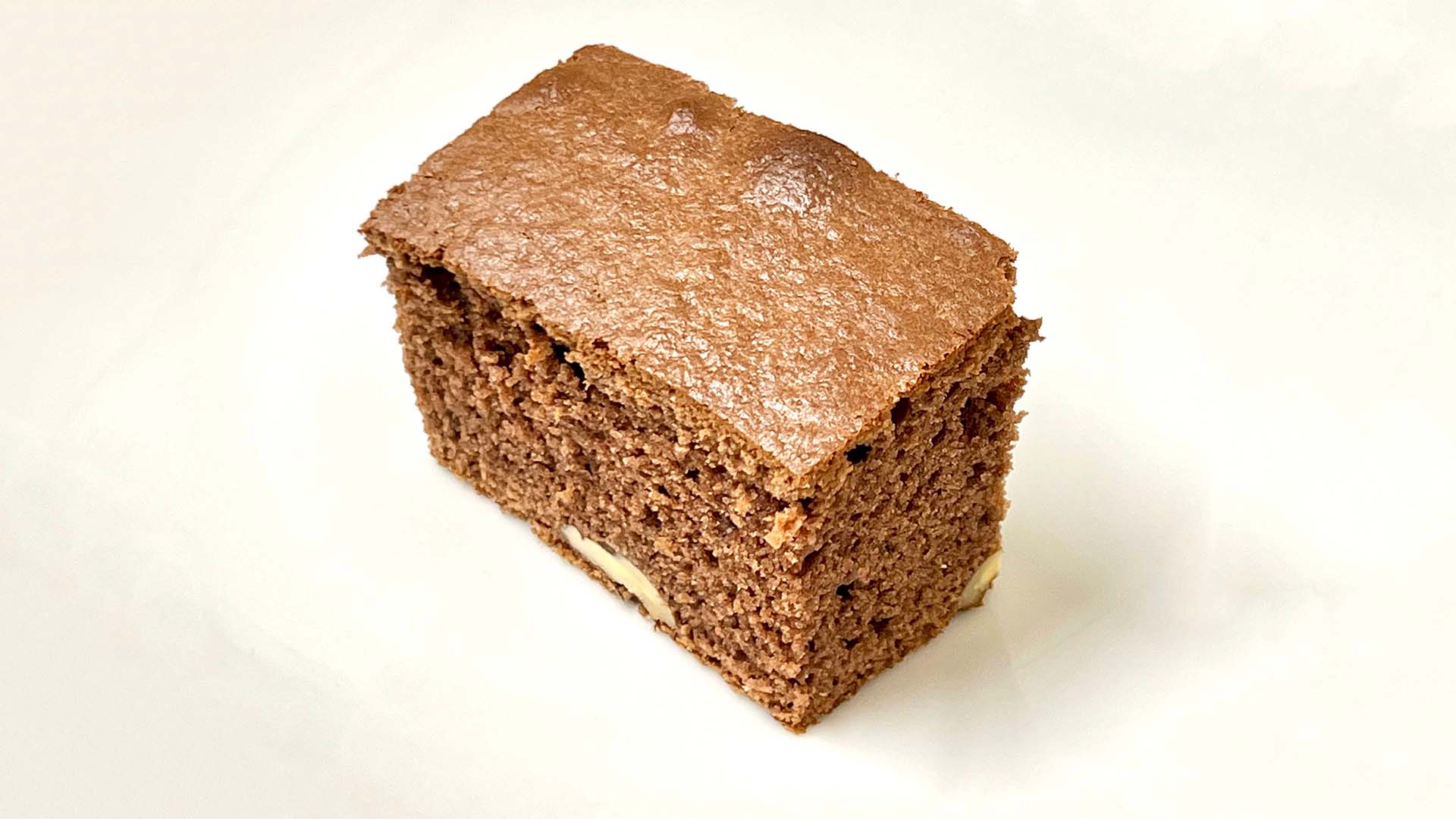
My wife is a magnificent cook and recently she found herself experimenting with Brownie. From experimentation to perfection she made today a perfect Baileys Brownie Cake.
Difficulty: Low
Preparation Time: 10 minutes
Baking time: 35 minutes, 175C with fan
We are living in TL;DR1 world and I got only 15 seconds to give you an IT advice. In this series, I will try to do this. Here we go with how to change the default search engine in the internet browser.