A very Minimal Google Analytics 4 Snippet
When Google announced that they would force us to move away from Universal Analytics to Google Analytics 4, I wasn’t happy. The official tracking code is notoriously bloated – weighing in at around 171kB in some instances–and is frequently blocked by various ad-blockers. Given the lack of lightweight alternatives, I wasn’t looking forward to compromising my site’s performance.
I started searching for a solution, but finding nothing that met my needs, I decided to take a “hit-and-miss” approach and build my own. What began as a simple snippet has now evolved into a highly refined, professional-grade tool. With the release of version 1.11 (the “Gold Master”), the script is more robust than ever, while remaining incredibly lean.
The Evolution of the Script
While the primary purpose remains tracking essential metrics like page views (page_view), session starts (session_start), and returning users (first_visit), each iteration has added powerful capabilities:
- Version 1.06 - 1.07: Introduced site search detection (
view_search_results) and search query capturing (search_term). - Version 1.09: Added scroll tracking (
scroll), firing an event when a visitor reaches 90% of the page depth. - Version 1.10: Implemented file download tracking for specified extensions and any links containing the
downloadattribute. - Version 1.11.2 (The “Gold Master Patch”): This latest milestone marks a thorough stability and hardening cycle. It introduces native UTM persistence to resolve attribution gaps, precise Average Engagement Time via the browser’s Visibility API, and zero-overhead Outbound Link Tracking. Following deep peer-review tracking loops, v1.11.2 introduces type-safe DOM guards to fully immunise the script against private browsing crashes, adds case-insensitive search parameters, and relies on strict event capturing to ensure link tracking fires reliably even on sites wrapped in aggressive web frameworks.
- Version 1.12.0: Focuses entirely on frontend performance by introducing zero-jank scroll tracking. It wraps geometric scroll queries inside a
requestAnimationFrame, completely eliminating layout thrashing and “forced reflow” penalties in Google PageSpeed Insights on mobile devices.
By moving to a dedicated GitHub repository, I’ve also implemented a modern Event Delegation model and Storage Safety Checks to ensure the script runs flawlessly even in strict private browsing modes.
Minimal Analytics 4 - the code
Version 1.12.0 (from 20/07/2026)
<script>
(function(){const l={tid:"G-XXXXXXXXXX",timeout:18e5,ext:["pdf","xls","xlsx","doc","docx","txt","rtf","csv","exe","key","pps","ppt","pptx","7z","pkg","rar","gz","zip","avi","mov","mp4","mpe","mpeg","wmv","mid","midi","mp3","wav","wma"],searchKeys:["q","s","search","query","keyword"]},T=!1,D=Math.floor(Math.random()*1e9)+1,p=Date.now();let j=p,s=!1,a=!1,r=!1,n=!1,d=!1;const e=function(){try{return localStorage.setItem("t","t"),localStorage.removeItem("t"),localStorage}catch{return{getItem:()=>null,setItem:()=>null,removeItem:()=>null}}}(),t=document,h=document.documentElement,x=document.body,i=document.location,w=screen,c=navigator||{},A=()=>Math.floor(Math.random()*1e9)+1,b=()=>Math.floor(Date.now()/1e3),k=()=>A()+"."+b(),y=encodeURIComponent,E=()=>{let t=e.getItem("cid_v4");return t||(t=k(),e.setItem("cid_v4",t)),t},C=e=>{let t=[];for(let n in e)e.hasOwnProperty(n)&&e[n]!==0[0]&&t.push(y(n)+"="+y(e[n]));return t.join("&")},O=i.search,m=new URLSearchParams(O),u=e=>m.get("utm_"+e),_=[...m.keys()].find(e=>l.searchKeys.includes(e.toLowerCase())),f=_?m.get(_):0[0],v=!!f,S=()=>s?"scroll":a?"file_download":r?"user_engagement":n?"click":v?"view_search_results":"page_view",M=()=>s?"90":0[0],F=()=>!v||s||a||r||n?0[0]:f;function o(o,d,h,m){const A=Date.now()-j;j=Date.now();const L=e.getItem("cid_v4"),N=()=>L?0[0]:s||a||r||n?0[0]:"1",v=b(),z=e.getItem("_ga_last")||0;let f=e.getItem("_ga_sid"),g=e.getItem("_ga_sct")||0,y=!1;(!f||v-z>l.timeout/1e3)&&(y=!0,f=v,g=Number(g)+1,e.setItem("_ga_sid",f),e.setItem("_ga_sct",g),e.setItem("_ga_hits","0")),e.setItem("_ga_last",v);const _=Number(e.getItem("_ga_hits")||0)+1;e.setItem("_ga_hits",_);const x=u("source"),R=u("medium"),P=u("campaign");y&&(x?(e.setItem("_ga_utm_source",x),e.setItem("_ga_utm_medium",R||""),e.setItem("_ga_utm_campaign",P||"")):(e.removeItem("_ga_utm_source"),e.removeItem("_ga_utm_medium"),e.removeItem("_ga_utm_campaign")));const H="https://www.google-analytics.com/g/collect",I=C({v:"2",tid:l.tid,_p:D,sr:w.width+"x"+w.height,ul:c.language?c.language.toLowerCase():0[0],cid:E(),_fv:N(),dl:i.origin+i.pathname+O,dt:t.title||0[0],dr:t.referrer||0[0],seg:_>1||Date.now()-p>1e4?"1":0[0],"epn.percent_scrolled":M(),"ep.search_term":F(),"ep.file_extension":o||0[0],"ep.file_name":d||0[0],"ep.link_text":h||0[0],"ep.link_url":m||0[0],_s:_,sid:f,sct:g,_ss:y?"1":0[0],en:S(),_et:A,cs:e.getItem("_ga_utm_source")||0[0],cm:e.getItem("_ga_utm_medium")||0[0],cn:e.getItem("_ga_utm_campaign")||0[0],"ep.outbound":n?"true":0[0],_dbg:T?1:0[0]}),k=H+"?"+I;if(c.sendBeacon)c.sendBeacon(k);else{let e=new XMLHttpRequest;e.open("POST",k,!0),e.send()}}o();function z(){const e=(h.scrollHeight||x.scrollHeight)-h.clientHeight;return e>0?(h.scrollTop||x.scrollTop)/e*100:0}t.addEventListener("scroll",g,{passive:!0});function g(){if(d)return;d=!0,requestAnimationFrame(function(){d=!1;const e=z();e>=90&&(s=!0,o(),t.removeEventListener("scroll",g),s=!1)})}t.addEventListener("click",function(e){if(!(e.target instanceof Element))return;const t=e.target.closest("a");if(t&&t.getAttribute("href")){const r=t.getAttribute("href"),c=r.split(/[?#]/)[0],e=c.substring(c.lastIndexOf("/")+1),s=e.lastIndexOf("."),d=s!==-1?e.substring(s+1).toLowerCase():"",h=s!==-1?e.substring(0,s):e,u=t.textContent?t.textContent.trim().substring(0,100):"";t.hasAttribute("download")||l.ext.includes(d)?(a=!0,o(d||0[0],h||0[0],u,r.replace(i.origin,"")),a=!1):t.hostname&&t.hostname!==i.hostname&&(n=!0,o(0[0],0[0],u,r),n=!1)}},!0),t.addEventListener("visibilitychange",function(){t.visibilityState==="hidden"&&(r=!0,o(),r=!1)})})()
</script>
See the full, unminified code and official GitHub Repository.
Official Google Analytics 4, Global Site Tag (gtag.js) = 171kB
Snippet (current version, minified) around 3kB (without script tag).
The snippet sends page views, site searches, scrolls, file downloads, and outbound clicks directly to Google Analytics 4 (via the /g/collect endpoint). To ensure session integrity and prevent duplicate entries, the script now primarily utilises localStorage with a built-in Storage Safety Check. This ensures that even if a user has strict privacy settings or is using an Incognito/Private window, the script fails gracefully rather than crashing.
By using this approach, you bypass the need to load the official, heavy library, ensuring your website’s loading speed remains uncompromised.
If you still require the official script (and are willing to risk it being blocked by ad-blockers), you can implement it using the JavaScript delay approach described in my article: Google Universal Analytics property is shutting down. Here is what you need to know..
Site Search Tracking
The “Control Centre” configuration at the top of the script exposes a dedicated searchKeys array. This allows you to easily scale your custom search parameters out-of-the-box without altering downstream extraction functions. Just remember to verify that these keys match your active configurations within your Google Analytics Data Stream dashboard.
The snippet automatically identifies on-site searches by monitoring URL parameters such as q, s, search, query, and keyword. When a search is detected, the script sends a view_search_results event instead of a standard page_view, capturing the search_term as an event parameter.
Unlike Universal Analytics, which automatically stripped search queries from URLs, Google Analytics 4 requires these to be sent as specific event parameters. This script handles that extraction for you.
The “Control Centre” configuration at the top of the script allows you to easily add custom search parameters. Just remember to ensure these parameters are also configured within your Google Analytics Data Stream settings.
Engagement and Scroll Tracking
In previous versions, the script fired at the start of a page load and then ceased interaction. Since version 1.11, the script has become much more “intelligent” regarding user engagement:
- Scrolls: A passive listener monitors page depth. As of version 1.12.0, scroll calculations are throttled using
requestAnimationFrame. This completely eliminates “forced reflow” layout penalties on mobile devices, ensuring zero-jank rendering performance. Once a visitor scrolls to or below 90%, it fires ascrollevent and removes the listener to save resources. - Average Engagement Time: The script now calculates the exact time spent on a page between events. This provides an accurate
_et(engagement time) parameter, allowing GA4 to report truthful “Average Engagement Time” metrics. - The Exit Ping: Using the Visibility API, the script sends a final “ping” when a user closes the tab or navigates away, ensuring that even “single-page” visits record their final seconds of activity.
Modernised Click Tracking (Downloads & Outbound)
Version 1.11 introduces a major performance upgrade: Event Delegation. Instead of looping through every link on the page when it loads (which was the case in v1.10), the script now places a single “Smart Listener” on the entire document.
- File Downloads: If a user clicks a link to a file matching your specified extensions (such as PDF, ZIP, or DOCX) or any link with a
downloadattribute, afile_downloadevent is triggered. The script now aggressively strips complex URL suffixes–like query strings (?token=123) or hash fragments (#page=2)–before evaluating the file extension, ensuring hidden downloads are never missed. - Outbound Links: For the first time, the script now tracks when a user clicks a link that takes them away from your domain… By utilizing Capture Phase event listeners rather than traditional bubbling, these events intercept clicks on their downward journey, guaranteeing tracking fires accurately even if your templates rely on third-party libraries that invoke
event.stopPropagation().
Minimal Analytics 4 – The Setup
To begin, set up your Google Analytics 4 property and create a Web Stream. Within the Enhanced Measurement settings, ensure that Page views, Scrolls, Site search, and File downloads are enabled.
Next, head over to the Minimal Analytics 4 GitHub repository and copy the latest version of the script (minimal-analytics-4.js). Paste this into the <head> of your website, ideally immediately after the <title> tag.
At the very top of the script, you will find the Control Centre (the config object). Replace G-XXXXXXXXXX with your actual Measurement ID from your GA4 Web Stream, and you are ready to go.
Note: For the best performance in production, I recommend using the minified version (
.min.js) found in the repository’s Releases section.
Beating the Ad-Blockers
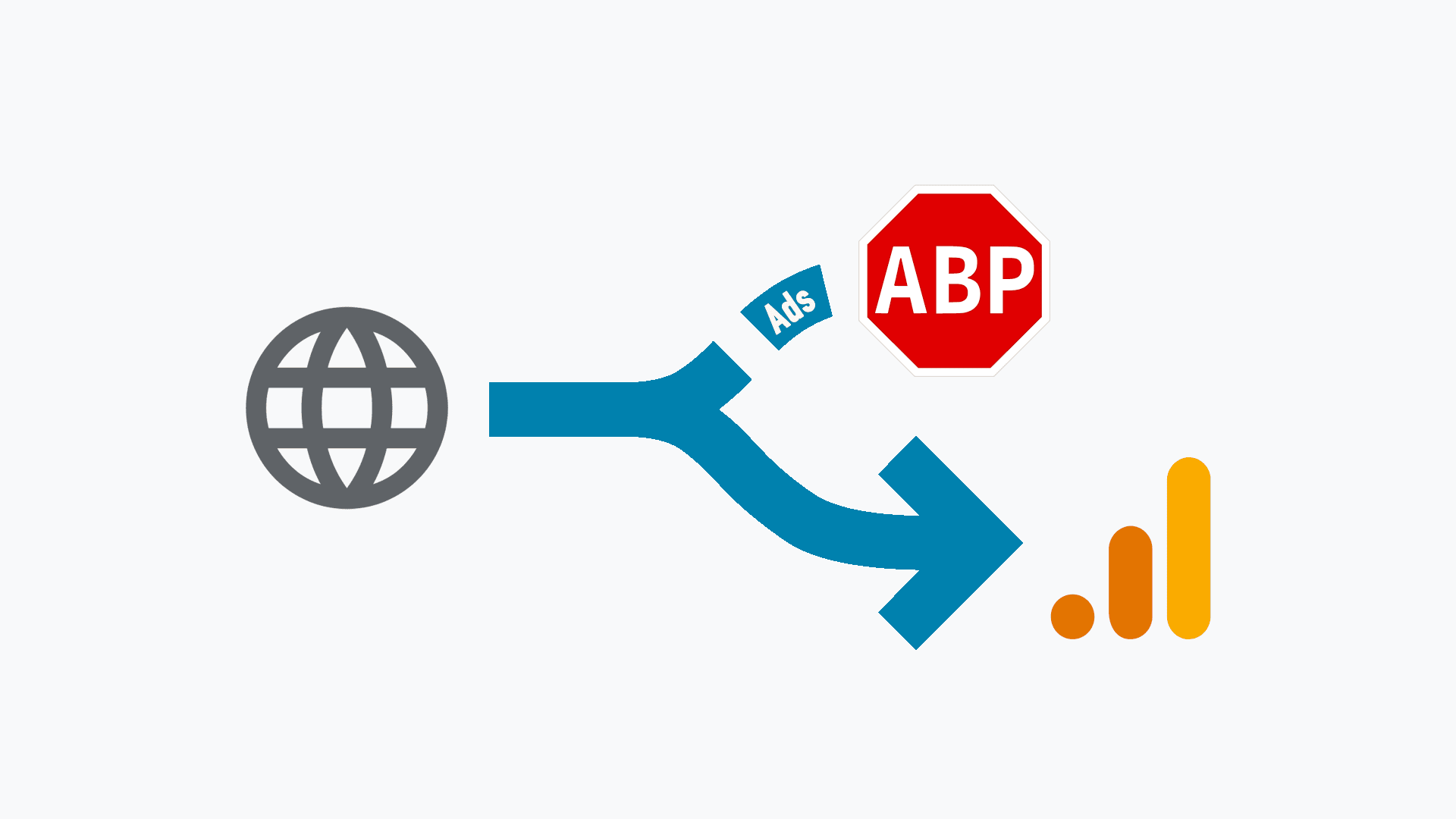
Despite this snippet weighing a tonne less than the official Google script, it is still liable to be blocked by various ad-blockers because it sends data to google-analytics.com.
However, there is a solution for that. If your hosting provider (such as Netlify or Cloudflare) allows you to set “200 Redirects” or rewrites, you can mask the tracking request so it appears to stay within your own domain. I have described this masking solution in detail below.
Minimal Analytics 4 – Masking (Hiding) Requests
My site is hosted on Netlify, which allows me to use a _redirects file to set up a proxy URL using a 200 (OK) status code.
A 200 code indicates that the request has been processed successfully. In this context, it acts as a “silent” rewrite on the server side.
My specific redirect rule is as follows:
/g/collect https://www.google-analytics.com/g/collect 200I then update the tracking script by replacing the default Google URL found inside the a() function:
https://www.google-analytics.com/g/collectWith my own proxied address:
https://dariusz.wieckiewicz.org/g/collectHow it Works
Because the tracking request is now made to your own domain rather than a third-party URL, it effectively bypasses the standard filters used by most ad-blockers. On the server side (Netlify’s Edge CDN in my case), the request is transparently mapped back to the official Google endpoint. It carries the entire payload–everything following the ? in the URL–directly to Google’s servers without the visitor’s browser ever “speaking” to Google directly.
For those seeking a more sophisticated setup, there is an option to pass the payload through an advanced redirect. You can find more information in my post: Masking (hiding) Google Analytics 4 code.
It is important to note that this solution has its limitations. I have outlined the potential pitfalls in another article: Prevent Google Analytics from being blocked by ad-blockers – The Downside.
JavaScript is not my primary language, nor is it something I use every day. I originally used the Minimal Analytics snippet by David Künnen as a guide to building my own version, and it has served me exceptionally well.
I consider myself a perpetual learner in the world of JavaScript, adding new features as I go. Fortunately, the community has been incredibly supportive. Developers with far greater experience have often picked up my work, offering optimisations and expanded functionality that have been vital to the script’s evolution.
This code is, and will always be, free and open-source. You are welcome to use it as a “base” for your own development. I genuinely appreciate any feedback or contributions from those with deeper JavaScript expertise who can help refine the project further at its new home on GitHub.
James Hill has also used his expertise to offer a high-quality alternative: minimal Google Analytics 4 using TypeScript. It is certainly worth exploring if you prefer a TypeScript-based approach.
If you are more technically minded and want to understand the “engine” under the bonnet, this technical specification breaks down exactly how the data is structured and sent.
Minimal Analytics 4 – Technical Specification
The script communicates with Google Analytics 4 using the Measurement Protocol (Version 2). Data is transmitted via a POST or GET request to the official Google endpoint: https://www.google-analytics.com/g/collect.
Note: Because this URL is a primary target for ad-blockers and privacy extensions (often resulting in 40% or more of traffic going unrecorded), I highly recommend the masking solution described earlier in this article.
The Payload Structure
Every event sent by the script contains a serialised data payload. Here is a breakdown of the parameters included in version 1.11:
v=2: Measurement Protocol Version (Required for GA4).tid=G-XXXXXXXXXX: Your unique Measurement ID or Stream ID._p=123456789: A randomly generated Page ID. Unlike previous versions, this is now fresh per page load but stays consistent for all events (scrolls/clicks) occurring on that specific page.sr=1920x1080: Screen Resolution reported in logical pixels to ensure accuracy across high-DPI (Retina) displays.ul=en-gb: The visiting user’s browser language.cid=123456789.987654321: Client ID. A persistent, randomly generated ID stored inlocalStorageused to distinguish new visitors from returning ones._fv=1: First Visit flag. Sent only when the script cannot find an existing Client ID in the browser’s storage. In v1.11.2, this flag is structurally isolated; it is fully protected against local tracking environments, guaranteeing it never leaks onto subsequent interactions (like scrolls, file hits, or exit pings) during anonymous private browsing sessions.dl,dt,dr: Document Location (URL), Title, and Referrer (the source of the traffic).sid=1648993317: Session ID. Generated from a Unix timestamp and stored inlocalStorageto persist across multiple tabs and windows.sct=1: Session Count. Tracks how many times a user has visited your site across different sessions.seg=1: Engaged Session flag. In v1.11, this is set to “1” only if the user stays for more than 10 seconds or interacts with the page, providing a truthful Bounce Rate._et=1500: Engagement Time in milliseconds. This tells GA4 exactly how long the user was active on the page before the current event was triggered._s=1: Hit Counter. Increments with every request (page view, scroll, click) within a single session.en=...: The Event Name. This could bepage_view,scroll,view_search_results,file_download, or the newclick(for outbound links).ep.search_term: The actual search keyword query extracted from the URL. This logic is case-insensitive (safely capturing?Search=or?q=) and strictly gated to ensure it accompaniesview_search_resultshits alone, ensuring search terms never bleed into subsequent page interaction states.cs,cm,cn: Campaign Source, Medium, and Name. These parameters persist UTM data throughout the session, ensuring your marketing attribution remains accurate.ep.outbound=true: A custom parameter sent during theclickevent to identify external link clicks._ss=1: Session Start flag. Sent only with the first hit of a new session._dbg=1: Debug flag. When enabled in the script, this allows you to see hits in real-time within the GA4 “DebugView” console.
Data Transmission
One of the most significant improvements in version 1.11 is how the script sends data. We now use a “best of both worlds” approach:
nav.sendBeacon: If the browser supports it, we use this method. It is the most reliable way to send data because it allows the browser to finish the transmission even if the user closes the tab immediately after a click.XMLHttpRequest: We use this as a fallback for older browsers to ensure no data is lost.
Storage & Privacy
In v1.11, we migrated all session data from sessionStorage to localStorage. This allows the script to “see” a session across different browser tabs – something the official GA4 script does, which was missing in earlier versions. Furthermore, we implemented a Storage Safety Check (a try/catch wrapper) to ensure the script doesn’t crash if a user has disabled third-party storage or is using a strict “Incognito” mode.
I hope this version provides a reliable, robust solution for your tracking needs for years to come, just as David Künnen’s original script did for Universal Analytics.
Privacy and Other Considerations
This snippet, unlike the original Google script, does not constantly “phone home” or track every mouse movement. However, version 1.11 is significantly more capable than its predecessors. While earlier versions ceased all interaction immediately after page load, the new architecture maintains a passive presence to ensure your data is as accurate as possible.
Passive Interaction
In previous versions (v1.10 and below), it was impossible to see how long a user spent on a page. I am pleased to say that with version 1.11, this has changed. The script now remains active in a “passive” state to handle three specific tasks:
- Scroll Detection: It waits for the 90% scroll threshold, reports it, and then disconnects that specific listener.
- Smart Link Tracking: Using a single, hardened capturing listener via event delegation, it handles clicks on file downloads or external outbound links seamlessly.
- Engagement Timing: It calculates the time spent on the page and sends an “Exit Ping” via the Visibility API when a user closes the tab or navigates away.
Accurate Engagement (No more “Assumed” Engagement)
In earlier versions, the script automatically assumed a user was “engaged” the moment the page loaded. In version 1.11, I have implemented a much more honest approach. The script now follows GA4’s official logic: a session is only marked as “engaged” (seg=1) if the user stays on the page for more than 10 seconds or performs an interaction (like a scroll or a click).
This means your Bounce Rate in Google Analytics will finally be accurate, showing you the percentage of users who truly interacted with your content.
The Disclaimer
As David Künnen mentioned in his Minimal Analytics for UA:
“You should not use this if you want to use advanced features like tracking AdWords.”
The same remains true here. This script is a specialised tool for those who value site performance and privacy. If you require advanced Google signals, cross-device remarketing, or deep Google Ads integration, the official (bloated) script is still your only option.
Bot Filtering
Because spam bots rarely execute JavaScript, they will not trigger this snippet. This ensures that the majority of your tracking data comes from real, human users. By implementing accurate engagement timing in this latest version, we have added an extra layer of protection against “ghost” traffic that might skew your data.
To Delay or Not to Delay?
In previous versions of this article, I suggested that you could implement a “JavaScript Delay” (waiting for a cursor movement, keypress, or scroll before firing the script), as described in my post: Implementing JavaScript Delay for Cookie Consent Banner.
However, with the release of version 1.11, my recommendation has changed. I now recommend against using a separate JavaScript delay for this snippet.
Why v1.11 Should Run Immediately
Because version 1.11 now includes its own sophisticated engagement tracking, a manual delay will actually compromise your data accuracy:
- Broken Engagement Timers: The script now calculates the exact
_et(Engagement Time) from the moment the page starts loading. If you delay the script load, that “start” point is lost, and your time-on-page metrics will be significantly under-reported. - Inaccurate Engagement Flags: We have built logic into v1.11 to automatically determine if a session is “engaged” (
seg=1) based on time and interaction. A separate JS delay interferes with this “honest” measurement. - The Exit Ping: For the “Exit Ping” to work via the Visibility API, the script needs to be loaded and “listening” from the beginning.
By allowing the script to run immediately, you get the best of both worlds: a tiny, high-performance script that doesn’t bloat your site, but one that is “smart” enough to manage its own engagement logic without needing a manual delay.
The Purpose of Minimal Analytics
Our goal remains the same: to measure how many people visit our website and which content is most popular, without the overhead of official tracking libraries. This is the ideal approach for web enthusiasts, bloggers, and small business owners who value performance.
A Note on Privacy (GDPR)
Finally, remember that despite our tracking being simplified and lightweight, it is still tracking. Depending on your jurisdiction and your visitors’ location, you must consider a relevant privacy policy and consent banner. This is especially pertinent given the ongoing discussions within the EU regarding the legality of Google Analytics and GDPR compliance. While this script is “minimal”, you should always ensure your implementation aligns with your local legal requirements.
Community, Comments, and Improvements
Do you have thoughts on this minimal analytics snippet or a suggestion for a future update? While this project began its life on Gist, it has now moved to a dedicated home on GitHub.
How to Get Involved
The goal of keeping this script public is to foster collaborative development. If you have JavaScript expertise and want to help refine the code further, I would love to hear from you:
- GitHub Discussions: For general questions, sharing your own implementation, or just saying hello, I have enabled the Discussions section on the repository. This is the best place for community chat.
- GitHub Issues: If you have found a bug or have a specific feature request, please open an Issue. This helps me track technical tasks more efficiently.
A Note on Development
I am a perpetual learner when it comes to JavaScript. While version 1.11 is a significant leap forward, I am well aware that there is always room for optimisation. If you request a feature, please understand that it might not appear overnight – I often need to learn the underlying logic before I can implement it safely.
If you know how to achieve a specific result, please don’t just ask – share your knowledge. Let’s work together to make this the best lightweight tracking tool available.
In the world of open-source, there is no room for those who only complain without offering feedback. We are all learning, and the best results come when we work with one another rather than against each other.
Final Thanks
A huge thank you to everyone who has offered a kind word, starred the project, or shared my work with others. Your support is what keeps this project moving forward.
Check out the latest code here: 👉 idarek/minimal-analytics-4
Credits & Further Reading
This project would not have been possible without the deep-dive research and technical documentation provided by the following experts. If you want to explore the inner workings of the GA4 Measurement Protocol yourself, I highly recommend these resources:
Technical References
- David Vallejo (Thyngster): A vital source for understanding the protocol. Check out his Google Analytics 4 Measurement Protocol Cheatsheet and his initial analysis of version 2 of the protocol.
- Optimize Smart: For a clear, high-level guide on Understanding the GA4 Measurement Protocol.
- Analytics Debugger: Their GA4MP technical documentation is an incredible resource for understanding Campaigns, Tracking Parameters, and Protocol Options.
Open Source Inspiration
- David Künnen: Whose original Minimal Analytics for UA inspired the entire “lite tracking” movement.
- GA4MP Library: For those looking for a more robust JS library, the ga4mp GitHub repository is a fantastic piece of engineering.
Final Thought: Implementing Minimal Analytics 4 is about taking back control of your site’s performance without flying blind. Whether you are a blogger, a small business owner, or a performance enthusiast, I hope this script helps you focus on what really matters: your content and your users.
Happy tracking!