

How the EU DMA Lets UK Users Fully Uninstall Microsoft Edge on Windows 11
The best part of the EU Digital Markets Act (DMA) is how it affects Windows 11 and the software installed on it. Thanks to the DMA, EU (EEA) users can easily remove Microsoft Edge and replace it fully — not just by hiding it — with Google Chrome or another browser if they want to.
When you’re living in the EU, you probably do not know how good that small enforcement is. In the UK, which is outside the EEA, Microsoft disabled that feature (thanks to all the Norberts who voted for Brexit).
Since the mechanism Windows uses to check this is entirely local, you can force the OS to behave like it is in an EU region.
Before proceeding, ensure you have another browser installed and set as the default; otherwise, you will be left without a way to browse the web.
This is where the Wintoys app comes to the rescue.
This app, created by Bogdan Pătrăucean, can be downloaded directly from the Microsoft Store.
Once downloaded, just open the app, click the button to take control of your system, and you are ready for a change.
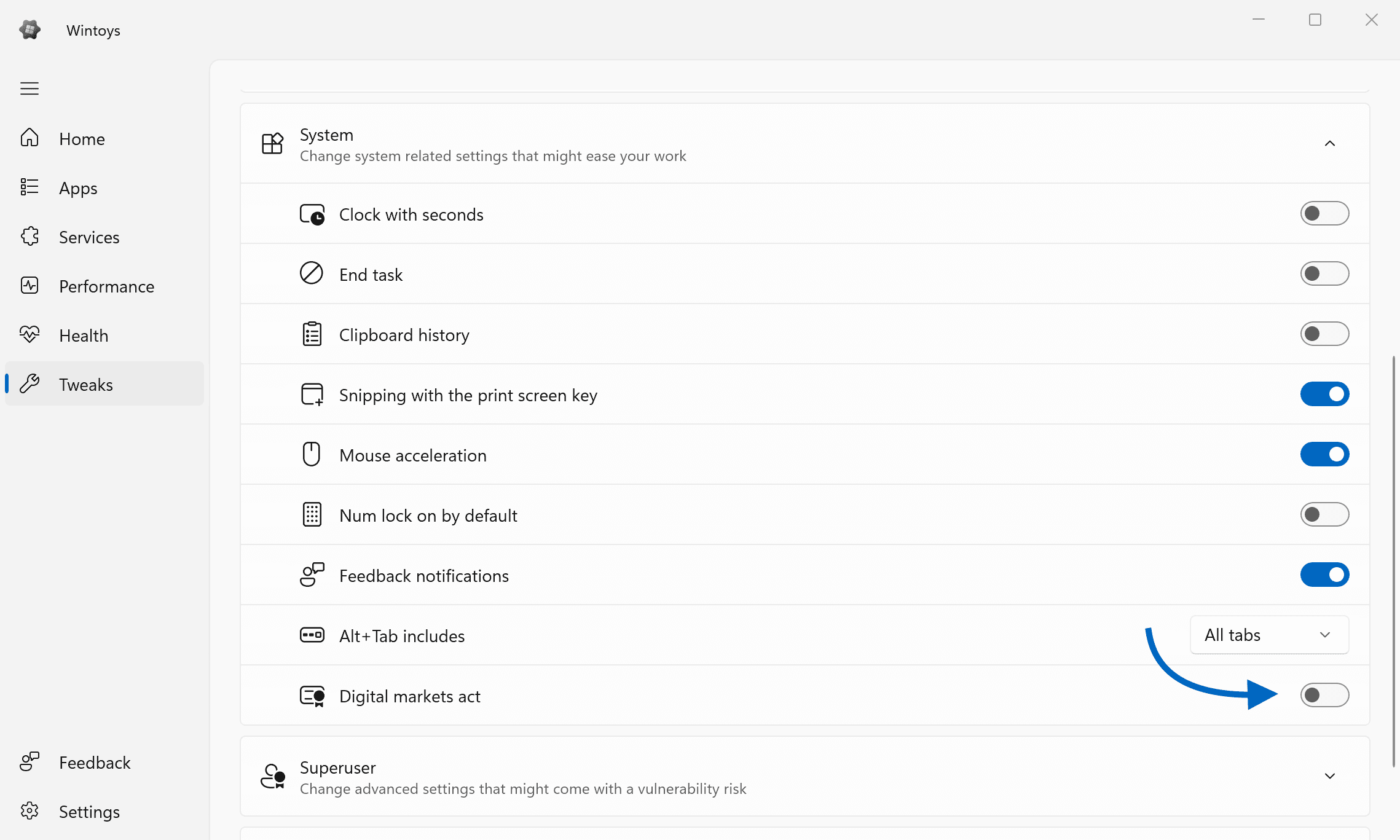
Select the Tweaks option from the menu on the left.
Expand the System section.
Switch the toggle next to Digital Markets Act.
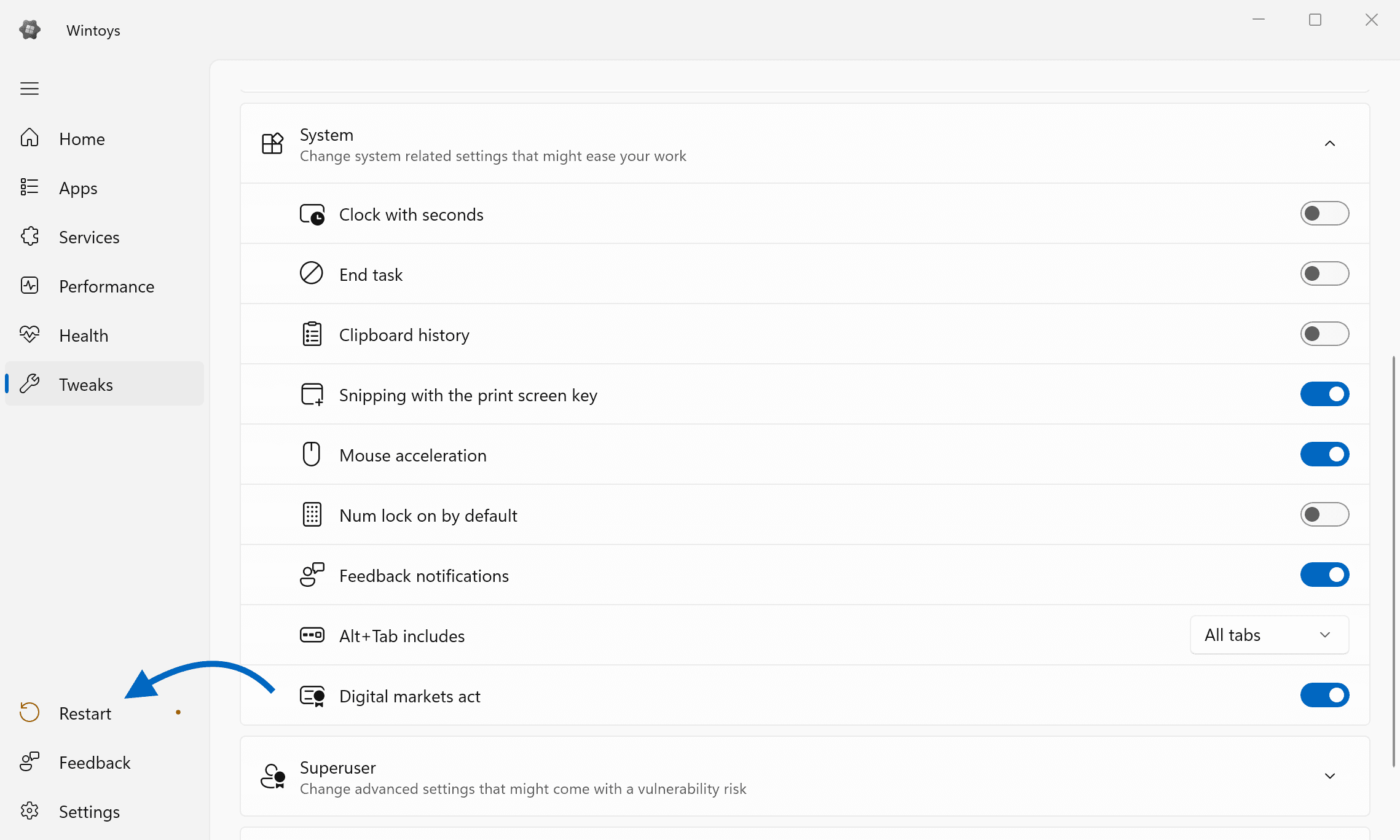
When that’s done, on the left side, you will notice an icon prompting you to restart your computer.
After the restart, if you head to the Start menu and right-click on the Microsoft Edge icon, you will notice a new option available — Uninstall.
This will open the Settings section with the Apps > Installed apps list.
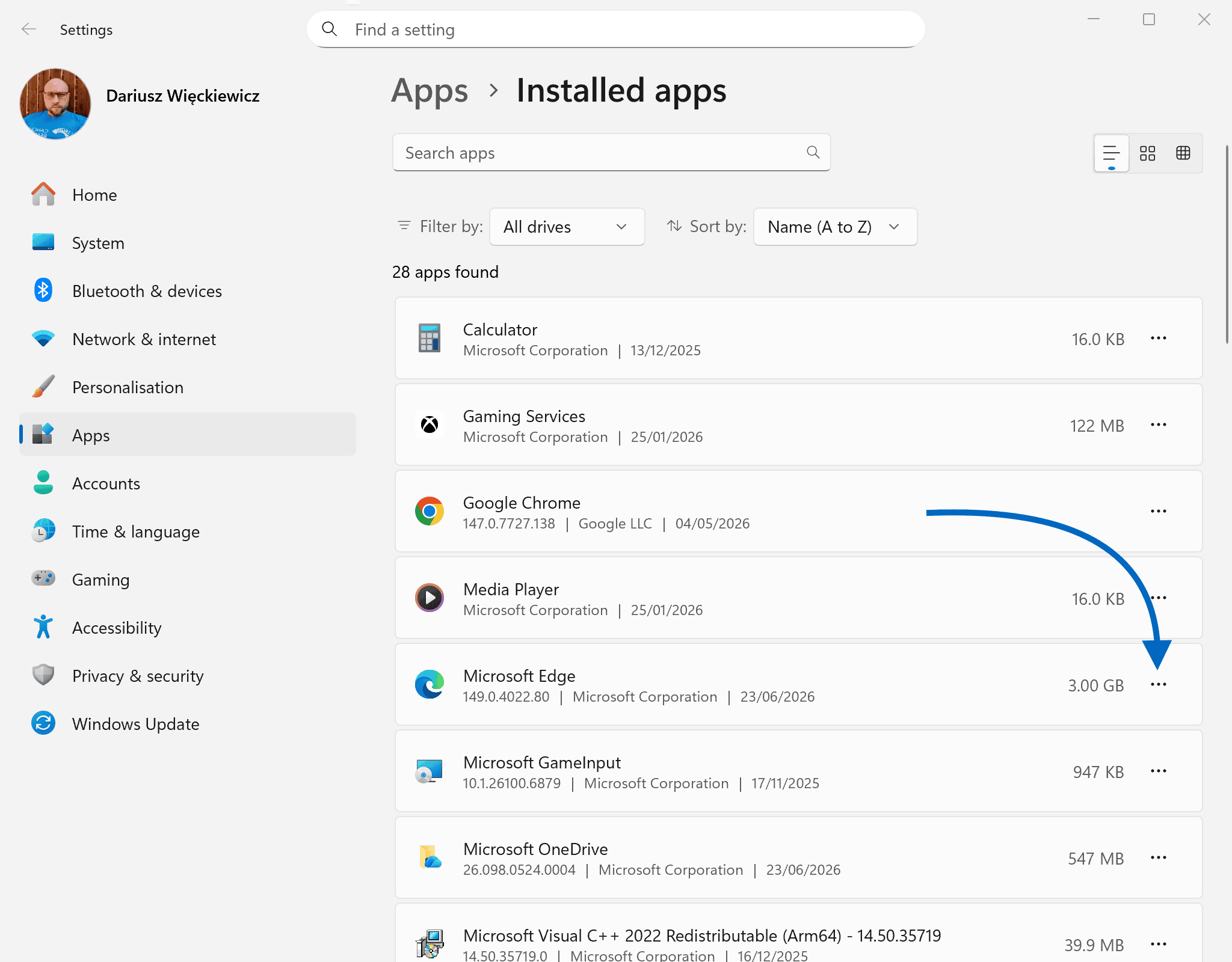
Just click on the three dots next to Microsoft Edge and select Uninstall.
Now, just like that, you can enjoy Windows without Microsoft Edge bypassing your links and integrating with things you don’t want when you prefer another browser on your system.
Goal reached!
Just keep in mind that major Windows feature updates will occasionally try to reset those compliance toggles or sneak Edge back onto the system. If it ever mysteriously reappears after an update, you will just need to open Wintoys and flip the DMA switch again.
By enabling the EU Digital Markets Act (DMA) compliance features, you are essentially unlocking a version of Windows 11 that treats user choice with far more respect. Because the UK is outside the European Economic Area (EEA), Microsoft defaults to its standard, more restrictive behaviour here.
What You Gain (The Pros)
- Total uninstallation of core apps: You gain the native ability to fully uninstall Microsoft Edge, the Microsoft Store (do not do that), and other Microsoft apps. It is as simple as right-clicking and selecting “Uninstall” — no complex registry edits or third-party scripts required.
- True default browser respect: Windows will no longer quietly bypass your default browser choice. Web links from system components and searches from the Start menu will actually open in Chrome, Firefox, or whichever browser you have chosen, rather than forcing Edge upon you.
- Bing is no longer mandatory: You can disable Bing as the default web search provider within Windows Search. You also gain the ability to configure third-party search engines to handle system-level web searches.
- A cleaner Widgets panel: You are no longer locked into Microsoft’s MSN news feed. The DMA forces Microsoft to allow alternative, third-party feeds within the Widgets board.
- Less built-in “nagware”: Windows significantly dials back the persistent notifications and prompts begging you to switch back to Edge or adopt recommended Microsoft settings.
What You Lose (The Cons)
- The “Reset” nuisance: Major Windows feature updates (such as an annual version jump) often reset these compliance toggles. If Edge mysteriously reinstalls itself, you will have to launch your bypass tool (like Wintoys) and flip the switch again.
- Minor regional quirks: Windows can occasionally get confused about your location. You might notice minor mismatches in the Microsoft Store regarding app availability or localised content.

Comments & Reactions