

Do not let AI (Gemini) forget your thoughts when you need them.
The AI interaction is becoming more and more common. We are getting a lot of useful information (a lot of crap as well) very quickly through it, saving us time and making us more productive.
I will not be discussing here aspect we all fear now, that AI will be replacing us at work. Thats a total different subject. I will be thinking here from perspective of using the AI, Gemini in this case, to make myself more productive - by embracing it.
At my current age, the time is the only thing that I am missing. This recalls this that summarises it perfectly.
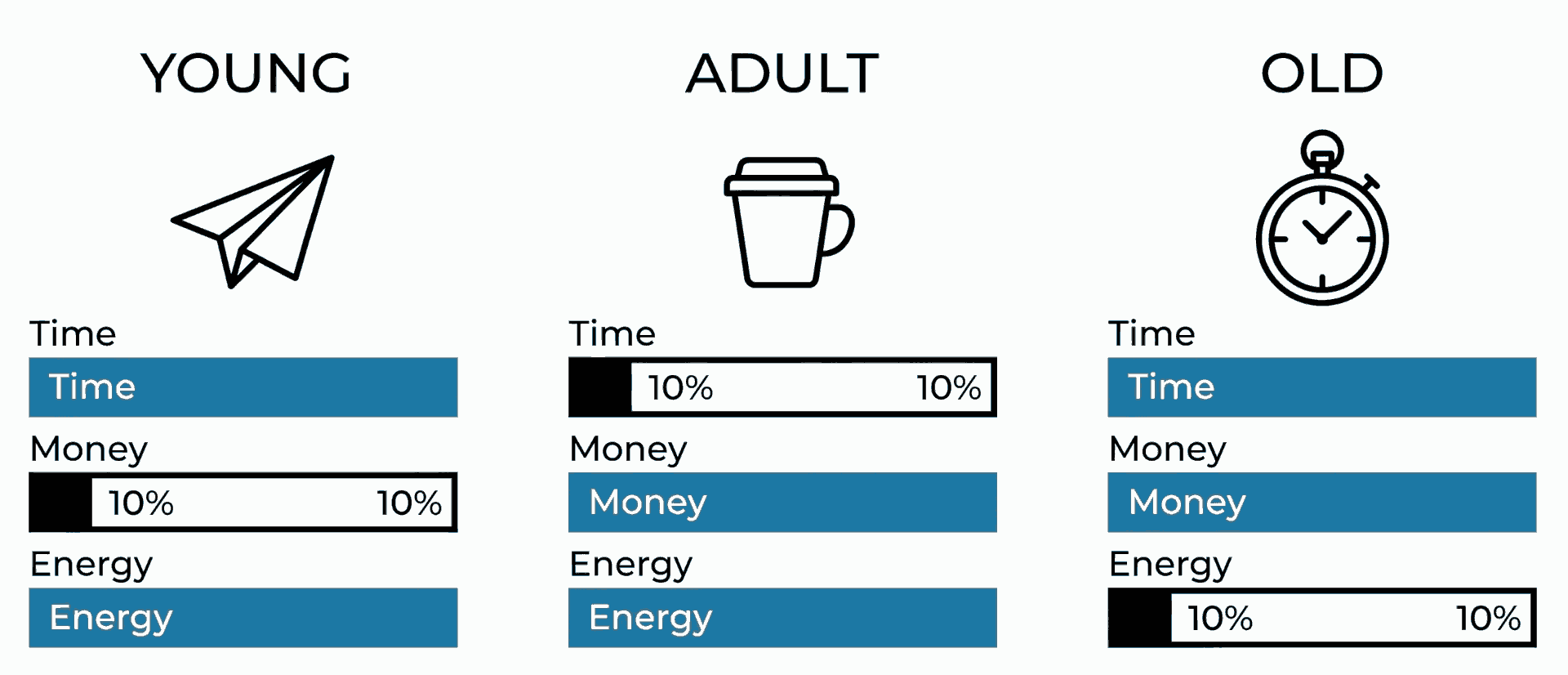
This is where the AI comes from.
Do not stick to the above. You will not be able to suddenly give yourself more time in a busy lifestyle; that’s impossible.
Embrace AI, learn it, use it, let it save your time.
Don’t be a generation who will do everything they can to oppose the change, so it comes to the point that they will, eventually, be replaced by it.
As we’re getting older, our memory is getting worse over time. This is a natural part of ageing.
When we use AI, in my instance Gemini, we collect our “chats” in it with some valuable information; some of them we will recall and interact over time, like a memory.
The problem is that if we, humans, lose memory (thoughts), so does AI. I am not talking here about “context window size” of an AI chat; I am talking about whole chats going puff!
Over the last years, we all have become more privacy-concerned.
Using Google services, it is normal that we do not want Google to gather too much information about us. This is why from time to time we go through Privacy Checkup and clean some old stuff or set automatic deletion after some period of time.
The problem is that this setting will also affect our chats with Gemini!
I found out about this the hard way, where I lost one of my chats that I wanted to recall after 4 months, but they were gone.
This was all my fault. Not because I deleted it (as I even pinned this chat, but still got missing), but because I instructed when my old data is removed by Google itself.
Google respected it to the latter.
The settings that I used, before I embraced Gemini, were set in My Activity.
My Web & App Activity, I changed from default 18 Months to 3 months. Same with Timeline. The YouTube history I turned off.
It was after investigation, where my missing chats go, that I found out some of these settings, to be removed after 3 months, have been inherited by Gemini activity as well.
On the above page there is no direct link to that, and this is where the confusion comes from.
You need to go to the buried page of the Gemini Apps activity page to see what is set that affects retention of your chats (or click on the Activity button under your chats).
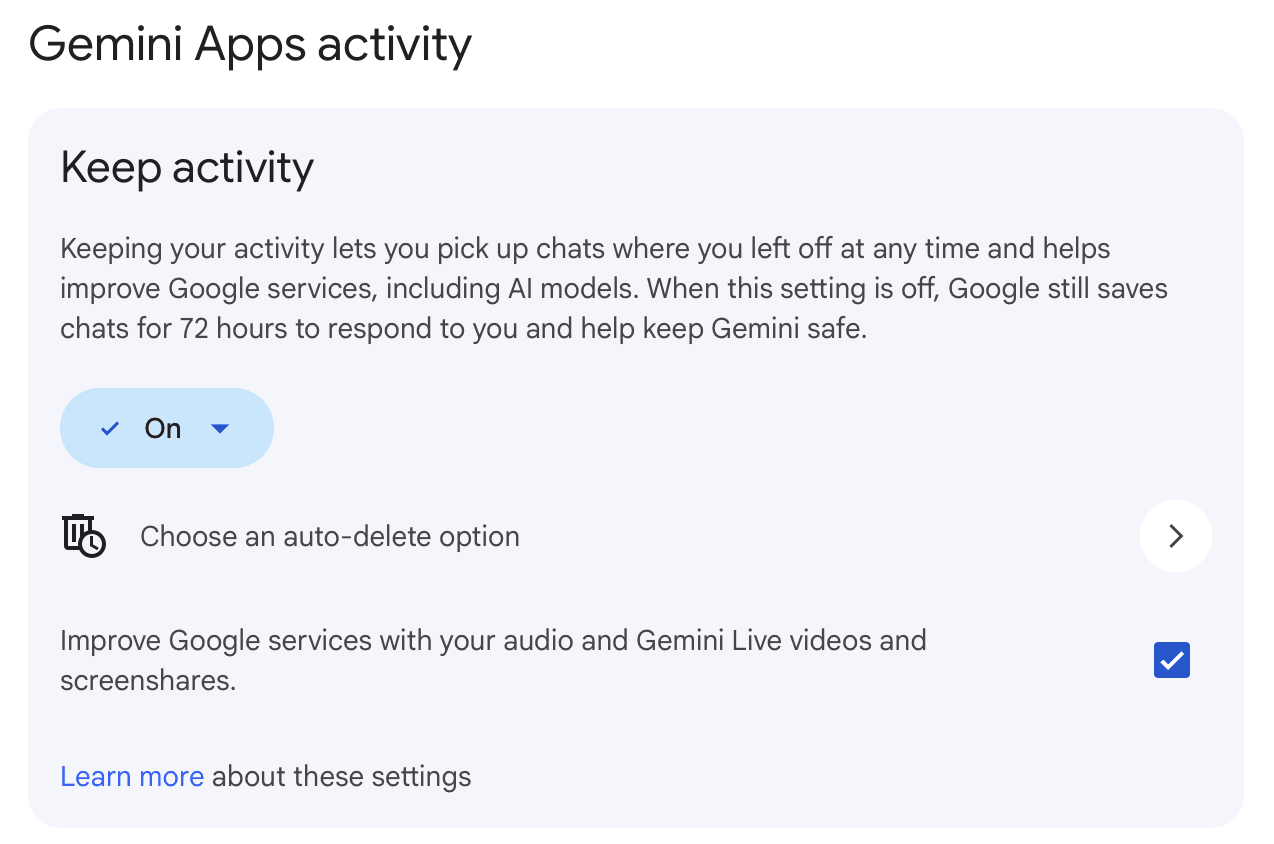
There, in the Choose an auto-delete option, I found out about the inheritance of my other preferences.
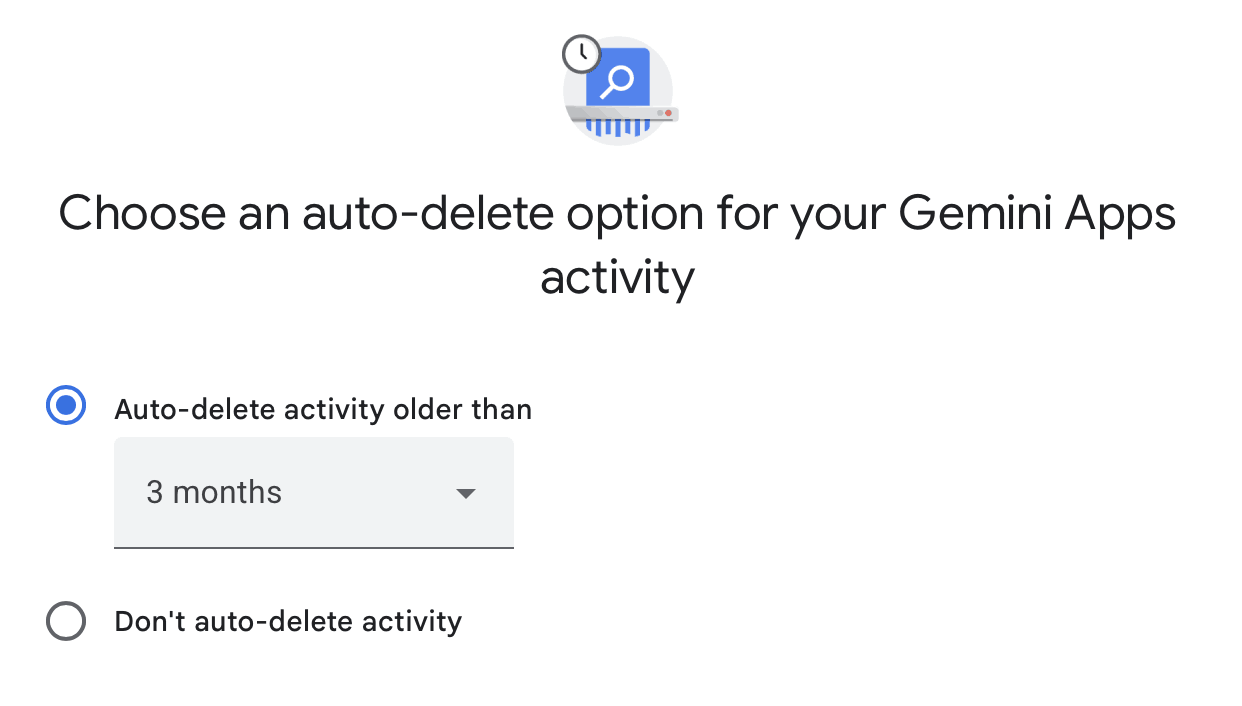
Three months.
After that period, the chats that I haven’t interacted with will be automatically deleted, even if they are pinned in your Gemini app.
I changed it personally to Don’t auto-delete activity.
I learned this hard way by losing some valuable information that I gather in some chats. Nothing that I cannot recreate, but this, again, is all about the time that I need to waste to do so. Time is what I get less and less each day in this world.
If you are using Gemini, head to Gemini Apps activity page today and check your settings to avoid any losses.
The Don’t auto-delete activity may be a bit extreme. Maybe the 18 months will be sufficient, but you don’t know how important the information you gather over years will be valuable for you.
Where I keep other activities restricted more, this one I want to be there when I need it.
Comments & Reactions